



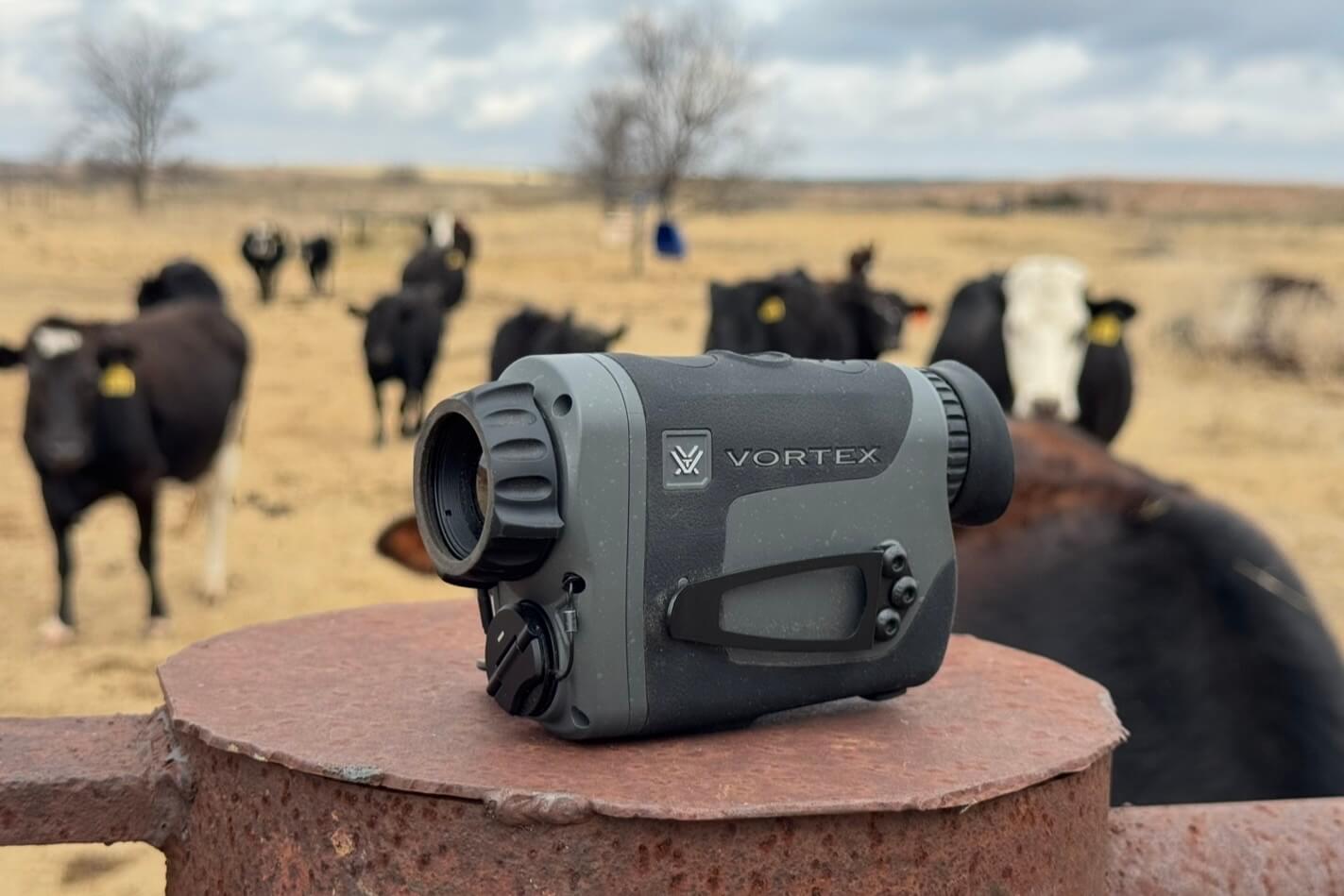

The Vortex Veil 400 does not try to be a do-everything wonder gadget. It aims to be a simple, durable thermal monocular that helps hunters spot animals fast, move confidently in the dark, and get into the action without fighting menus or babying expensive gear.
Vortex’s first thermal, the Veil 400, delivers a compact platform with fair image quality and a best-in-class lifetime warranty. It’s built for hunters who want a reliable thermal without unnecessary complexity. As Vortex’s first entry into the thermal market, it strikes a balance between usability and capability. More importantly, it sets a solid foundation for what could become a very competitive lineup.
Why the Vortex Veil 400 Feels Built for Real Hunts
Vortex stepped into the thermal space with a clear goal. They wanted something simple, durable, and effective for real-world hunting. The Veil 400 reflects that approach immediately once you pick it up. Right away, the form factor stands out. It’s slightly larger than a typical rangefinder, yet it keeps a familiar profile. Even better, it doesn’t scream “thermal device,” which I actually prefer. Instead, it blends in like a traditional optic.
The controls follow that same philosophy. While there are four buttons total, only three handle the main functions, with one to power on the unit. As a result, the layout is extremely intuitive. I was able to figure out how to operate it without ever opening the manual.
The rubber armor also deserves attention. It’s grippier than most rangefinders, which gives you a very secure hold. When you’re moving through uneven terrain at night, that extra friction matters. I’d rather have too much grip than risk dropping it.
Up front, the focus ring is well dialed in. Unlike fixed-focus rangefinders, the Veil 400 lets you fine-tune the image. The ring is firm, but that’s intentional. It stays put once adjusted, and the raised tabs make it easy to manipulate even with gloves.
What You Get Out of the Box with the Veil 400
Out of the box, the Veil 400 comes ready to hit the field with a well-rounded kit. You get two rechargeable 18650 batteries, a battery charger, USB-C cables, a hard storage case, and a neck lanyard. It also includes a lens cloth and a pre-installed utility clip, along with a 2mm hex wrench for adjustments. Overall, it’s a complete package that doesn’t require any immediate add-ons to get started.
Vortex Veil 400 Image Quality in the Field
The Veil 400 runs a 400×300 sensor with a 12μm pixel pitch and a 50 Hz refresh rate. In practice, that translates to smooth scanning and competitive clarity for its class. Additionally, the 2.3x base magnification shown as 1x on the display strikes a good balance between field of view and detail.
During testing, most of my use was in low-humidity environments. Because of that, image quality stayed consistent and clean across open terrain. I was able to detect large heat signatures, like cattle, well beyond the advertised 1,100-yard detection range.
However, detection is only half the equation. Identification is where things get more realistic. For pigs, I’d put reliable identification around 250 yards. That’s typical for a 400-class thermal, and identification abilities improve as you gain experience reading movement and behavior.
Viewing Modes and Color Palettes That Actually Matter
The Veil 400 offers three distinct viewing modes, and they each serve a purpose. You can toggle between Balanced, Contrast, and Brush modes depending on your environment.
Balanced Mode works best in fair weather and open ground. It provides a natural-looking image without overprocessing. As a result, it’s the mode I used most during testing. I found the others to be darker and less helpful, but it’s good to have options.
Contrast Mode is helpful when dealing with backlit conditions or animals in shadows. It boosts separation between the target and background, which makes spotting easier in tricky lighting.
Brush Mode is designed for dense cover and humid nights. It helps pull subtle heat signatures out of thick vegetation. While I didn’t spend much time in high humidity, this mode is tuned for scanning through heavier grass and brush.
Also, the Veil 400 offers four color palettes: White Hot, Black Hot, Red Hot, and Multicolor, giving you flexibility to match conditions and personal preference. While I use White Hot for nearly every situation, there are options for you to find out what you prefer for yourself. Multicolor adds another layer of contrast, which can be useful when trying to pick out subtle temperature differences in more complex environments.
Battery Life and Power Options for Long Nights
Battery performance provides about 4.5 hours of runtime from a single 18650 battery. In my testing, that estimate held true. Vortex includes two rechargeable batteries and a charger, which is a nice touch. One small but useful detail is the battery cap marking. It clearly shows orientation, which eliminates guesswork.
You can also charge the unit via USB-C or run it off a power bank, making it easy to stay operational during longer hunts. Even better, 18650 batteries are widely available and inexpensive to keep on hand. I also appreciate that Vortex chose a common battery format instead of going with an internal or proprietary option.
Simple Controls That Stay Fast in the Dark
Ease of use is one of the Veil 400’s biggest strengths. The button layout is simple, and each function is easy to access. The front button handles brightness and manual NUC. The middle button controls zoom and menu navigation. The rear button captures photos and records video. After a short time, everything becomes second nature. While I would have preferred slightly more defined buttons, it has been easy enough to use in the dark.
Manual NUC is also available, although the unit handles it automatically when needed. You’ll notice a brief freeze and a faint click during the process. It’s quick and doesn’t interrupt use much. If you know you are about to take a video, manually NUC’ing the unit will buy you time until the next temporary freeze.
Photo, Video, and Playback Features
The Veil 400 supports photo and video capture, but this is where it feels more basic. Taking a photo is simple with a single press. However, recording video requires holding the rear button the entire time. That setup works, but it’s not ideal. I’d prefer a toggle system where one press starts and stops recording. I did mention this to Vortex, and they were already exploring potential updates. So, there’s a chance this could improve in the future.
Playback on the device itself is convenient. You can review footage directly through the onboard media viewer. That’s useful when you’re still out in the field. Audio quality is serviceable, though not impressive. It captures enough to understand what’s happening, but it’s not a standout feature.
Where the Veil 400 Falls Behind on Connectivity
This is probably the Veil 400’s biggest drawback, in my opinion. While you can transfer files via USB-C, it only works with Windows and Android devices. Unfortunately, there’s no support for iOS or macOS. Since I primarily use Apple devices, I had to use my parents’ Windows computer to access my files.
Additionally, there’s no WiFi or Bluetooth connectivity. Many modern thermals include wireless transfer options, so this does feel like a step behind.
How the Veil 400 Performed on Real Pig and Coyote Hunts
I ran the Veil 400 on multiple hunts, and it quickly became a key tool for locating animals and navigating at night. I used it to help find and take around 15 pigs along with a few coyotes, and it consistently made spotting heat signatures fast and efficient. Because of its wide field of view and simple controls, I could scan large areas quickly and keep track of movement without getting bogged down in menus.
When identification got tricky at longer distances, I would transition to my Pulsar Thermion 2 LRF XL60 to confidently determine exactly what I was looking at. That combination worked extremely well in practice. The Veil handled detection and situational awareness, while the higher-resolution scope handled positive ID before taking a shot.
Additionally, the Veil 400 proved useful for guiding other hunters. I used it to walk buddies through fields at night and position them within range of groups of pigs before setting up on tripods. That ability to coordinate movement in the dark made a big difference, especially when trying to close the distance without spooking animals.
Vortex Veil 400 Value, Warranty, and Final Verdict
Despite a few limitations, the Veil 400 still offers strong value. It sits in the entry-level thermal price range, but it doesn’t feel cheaply made. Instead, it focuses on delivering reliable performance. The biggest advantage, however, is the warranty. Vortex backs the Veil 400 with their unlimited, unconditional, lifetime VIP warranty. That level of coverage is almost unheard of in the thermal market. Most thermals come with short or restrictive warranties. In contrast, Vortex stands behind this unit for life. That alone adds significant long-term value.
The Vortex Veil 400 keeps things simple, and that’s exactly why it works so well. It’s easy to use, performs consistently, and focuses on practical hunting applications. While it lacks modern connectivity features, it makes up for that with durability, intuitive controls, and a best-in-class warranty. The Veil 400 thermal scanner comes in with a price of $1499. If you’re looking for a straightforward thermal monocular from a trusted brand, the Veil 400 is a solid choice.
Vortex Veil 400 Specifications That Matter
| Model | Vortex Veil 400 |
|---|---|
| Sensor | 400×300 |
| Pixel Pitch | 12μm |
| Refresh Rate | 50 Hz |
| Base Magnification | 2.3x |
| Display Zoom Marking | 1x |
| Detection Range | 1,100 yards |
| Battery | Single 18650 battery |
| Runtime | 4.5 hours |
| Price | $1499 |
Pros and Cons of the Vortex Veil 400
- Pros: Compact and familiar form factor, intuitive controls, adjustable focus ring, complete out-of-box kit, common 18650 battery, solid field performance, and a standout lifetime warranty.
- Cons: Fair rather than class-leading image quality, video recording requires holding the button, buttons could be more defined, and there is no iOS, macOS, WiFi, or Bluetooth support.
Read the full article here
